The Owner of Calrad is really into Halloween and every year he put’s on quite the show in his neighborhood which takes almost a month to prepare for. Each year we create and add a new prop to his ongoing collection of scary spooky creatures. Below is a video and screenshots, diagrams of how we created the talking pirate prop.

How we created the pirate + Products used:

The talking Skull is comprised of a 16 channel servo controller for use on a DMX network which operates 6 DC servo motors, 4 DMX channels for L.E.D. eye illumination that was purchased from a company called Skulltronix, website: www.skulltronix.com they manufacture some interesting animated servo controlled skulls and other products that are controlled using the DMX protocol, link to DMX information: http://en.wikipedia.org/wiki/DMX512. We used a DMX to USB controlled interface box from ENTTEC to communicate with a laptop running xLobby and (VSA) Visual Show Annimation software, website: http://www.brookshiresoftware.com/vsa_overview.htm. Steven wrote a custom API to talk to the (VSA) software, available in the current xLobby release. Functions include (Play), (Pause), (Stop).  The skeleton was dressed with a halloween pirate outfit and the chest, accessories were created from scratch using various items from different local stores. The audio L+R speakers are mounted on each side of the pirate head draped in black cloth, the sub-woofer is mounted on the upper step also covered in black cloth and the audio feed connected to the laptops speaker output jack. See the pirate block diagram below for all the technical details.

The pirate is triggered by either the IR motion detector or by a wireless 2 button RF remote that can initiate (Play) or (Stop) animation commands detected by the 72-USB-IO4 module. We wrote a 10 second delay between having the IR motion detector trigger the pirate automatically and allowed the handheld 2 button RF remote to work all the time. We placed white L.E.D strip lighting in the pirates chest so at the 10 second DMX timeline xLobby sends a trigger to Relay no. 1 on the 72-USB-IO4 module to activate the L.E.D lights. At 50 seconds into the pirate aninmation, DMX timeline a lamp above the pirate display flashes on\off while the pirate is laughing, not show in the video because we filmed the clip before we connected the lamp. We wanted to do some other intersting things to the display but ran out of time there were 2 other relay output’s left on the 72-USB-IO4 module to use + we can add additional modules to create other effects if needed. We used xLobby boolean logic events and triggers + API commands to the (VSA) software to create the end result.

Obviously the Pirate Manual Control Screen shown below can be controlled using a IR line of sight remote system or a RF to ir remote, or the xLobby xPad webserver system using  an iPad, Iphone or andeoid devices, etc. as well.

What you see in the video: The video starts off with a dialog, 10 seconds into the video clip the pirate chest lights up, 50 seconds into the clip an overhead lamp flashes until the end of the animation then the pirate is reset and all lighting is turned off ready for the next IR motion detector trigger or manual RF remote control trigger.

xLobby Halloween Pirate

Download Video, High Resolution: xLobby Halloween Pirate

Halloween Pirate Diagram 2011

xLobby Pirate Block Diagram

PDF File: Halloween Pirate Diagram 2011

Visual Show Automation Software Screenshot

(VSA) Visual Show Automation Screenshot

xLobby Animated Pirate Control Screenshot 

xLobby Manual Control Screen

Skulltronix BOC board

(BOC) DMX Controller board.


FutabaServos-300x240

DC Servo’s used for hobbyists applications can be used to move differnt types of elements in a halloween setting, the possibilities are limitless for creating movable figures and objects the creations are limited only by your imagination.


 Electrocution Guy

Electrocution Guy

Download Video: Bob’s Halloween Electrocution Guy

The Electrocution guy consists of the following items to make it all work.

1. Mounted IR Motion detector to trip the control board that starts the whole animation sequence

2. Air compressor delivery system + Control Board with relays to activate air valves that make him move around, media playback system for the screaming-frying, electrical sound track

3. Fog machine activated by the control board, fog is directed out to a tube that runs up his left leg and into his body to simulate smoke.

4. large sub woofer, speakers with amplfied audio system to simulate the electical activity and screaming effects

5. Not shown in the video but look at the picture above, their is a cable near the cement that moves around + flashes bright white L.E.D.s and has a speaker mounted in the end that emmits a loud sparking sound…simulating sparks at the end.

6. Dimming, flashing spot light to simulate surging or loss of electicity.

7. Flashing Strobe Light for added electrical effects


Time permitting I will update this post with other details or things I forgot to expand on.

Intersted in xLobby technology visit the main website here: www.xlobby.com

Wes Black

Extended Display Identification Data (EDID) is a standard data format that contains specific information about a monitor and its capabilities, including vendor details, maximum resolution, color characteristics, factory pre-set timings, and frequency range limits.

The Calrad 40-EDID Emulator – EDID/CEC Selector captures and retains HDMI EDID information from a monitor/display and can then be connected to the video signal source, emulating the EDID information in order to trick the video source (video card) into outputting the same video signal, even if the display is not directly connected to the video source or is connected using a video extension system like HDMI baluns. Most video extender systems don’t offer EDID communication between the signal source and a remote display, the 40- HDMI EDID Emulator  is a perfect workaround for ensuring the optimum signal is provided to the display, regardless of whether or not there is a direct connection between the source and the display.

40-EDID


40-EDID Brochure

PDF File Link: 40-EDID Brochure


Wes Black

Calrad’s 40-283HD-A can be used for Apple TV HDMI conversion to analog video or other video products that require HDMI to analog video conversion. This unit does not do any video transcoding or video scaling, what ever video resolution that is supplied to the input is converted to the output.

40-283HD-A Apple TV Application Brochure

PDF file link: 40-283HD-A Apple TV Application Brochure

Wes Black

Calrad’s new Bluetooth wireless transmitter provides a simple method to wirelessly connect today’s portable media based electronics that support the Bluetooth wireless A2DP protocol to your home stereo or PC enabling stereo audio playback without wires. Bluetooth wireless receiver, part no. 40-BT2, http://xlobby.com/news/2011/10/10/calrad-40-bt2-bluetooth-wireless-receiver/ .

40-BT3

40-BT3 Bluetooth Wireless Transmitter

40-bt3 brochure

PDF File Link: 40-bt3 brochure

Wes Black

Calrad’s new Bluetooth wireless receiver provides a simple method to wirelessly connect today’s portable media based electronics that support the  Bluetooth wireless A2DP protocol to your home stereo or PC enabling stereo audio playback without wires. Bluetooth wireless transmitter, part no. 40-BT3, http://xlobby.com/news/2011/10/13/10calrad-40-bt3-bluetooth-wireless-transmitter/ .

40-BT2

40-BT2 Bluetooth Wireless Receiver

40-bt2 brochure

PDF File Link: 40-bt2 brochure

Wes Black

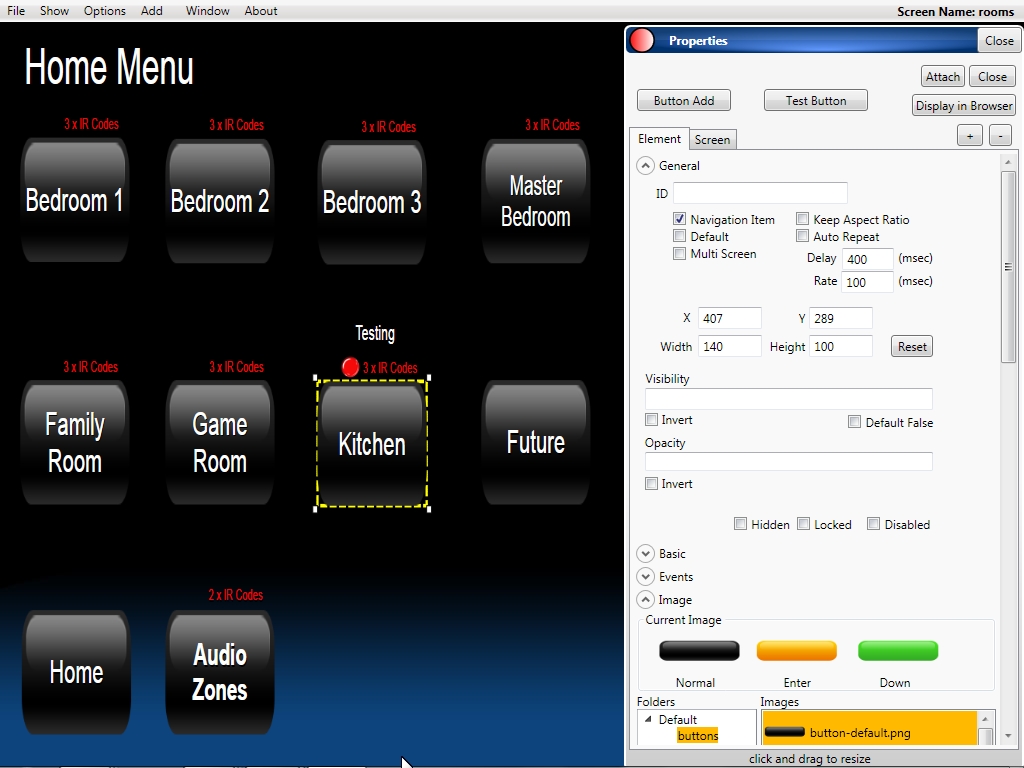
xLobby Mantis Updates

The current xLobby build supports the current list of Mantis bug fixes and updates below.

Summary 0000969: control recording volume (vista+ only)
Description control recording volume (vista+ only


Summary 0000968: new button id “volumebarrecording” and variable “%recordingvolume%”
Description new button id “volumebarrecording” and variable “%recordingvolume%”


Summary 0000967: run event, add drop down boxes to make it easier to find events
Description run event, add drop down boxes to make it easier to find events


Summary 0000966: Scroll bars don’t work on ipad xpad interface
Description Scroll bars don’t work on ipad xpad interface


Summary 0000965: new option for clone display mode, toggle allow independent navigation while movie playing
Description new option for clone display mode, toggle allow independent navigation while movie playing


Summary 0000964: close overlay by name, fix for xpad ipad
Description close overlay by name, fix for xpad ipad


Summary 0000963: playlist and audioplayer variable display fix
Description playlist and audioplayer variable display fix


Summary 0000962: static variable display fix
Description static variable display fix


Summary 0000961: ipad xpad movies family covers not working
Description ipad xpad movies family covers not working


Summary 0000960: android phone resize bug
Description android phone resize bug

When using Android Droidx or other phones the size was not always correct or switching from portrait to landscape caused sizing issues. 

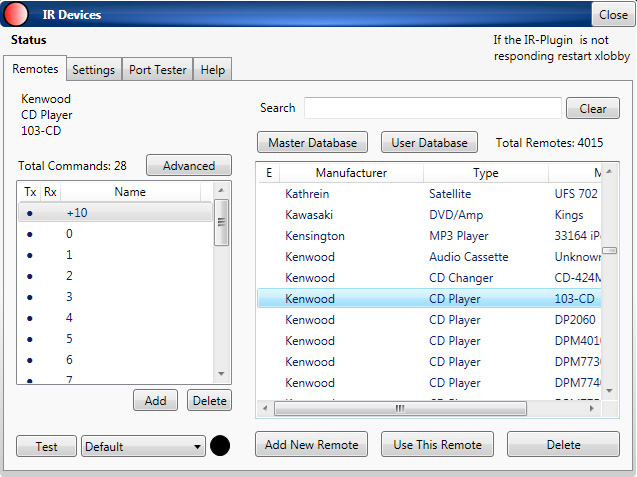
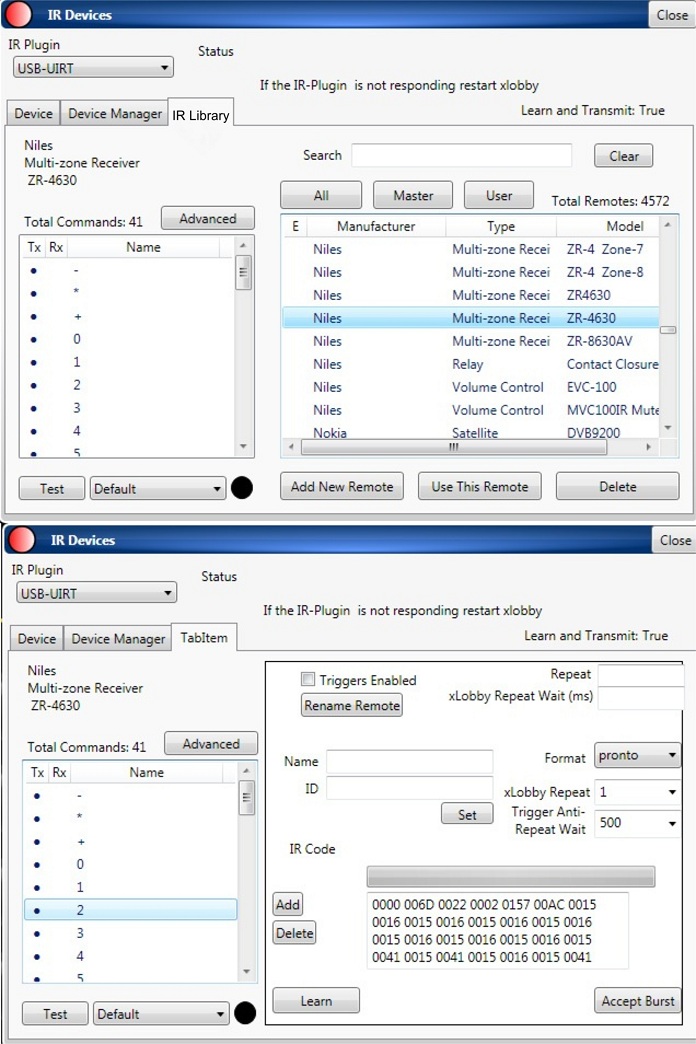
Summary 0000959: new variables for IR transmit and received %xlobby>irreceive% %xlobby>irtransmit%
Description new variables for IR transmit and received %xlobby>irreceive% %xlobby>irtransmit%

UIRT Variables for IR transmit and IR Receive 

Summary 0000958: background was not scaled correctly while in the editor
Description background was not scaled correctly while in the editor


Summary 0000957: closing properties windows caused black bar sometimes
Description closing properties windows caused black bar sometimes


Summary 0000956: screens now have definable ports for IR and RS232
Description screens now have definable ports for IR and RS232


Summary 0000955: ir command has “screen port” and “previous screen port” option
Description ir command has “screen port” and “previous screen port” option


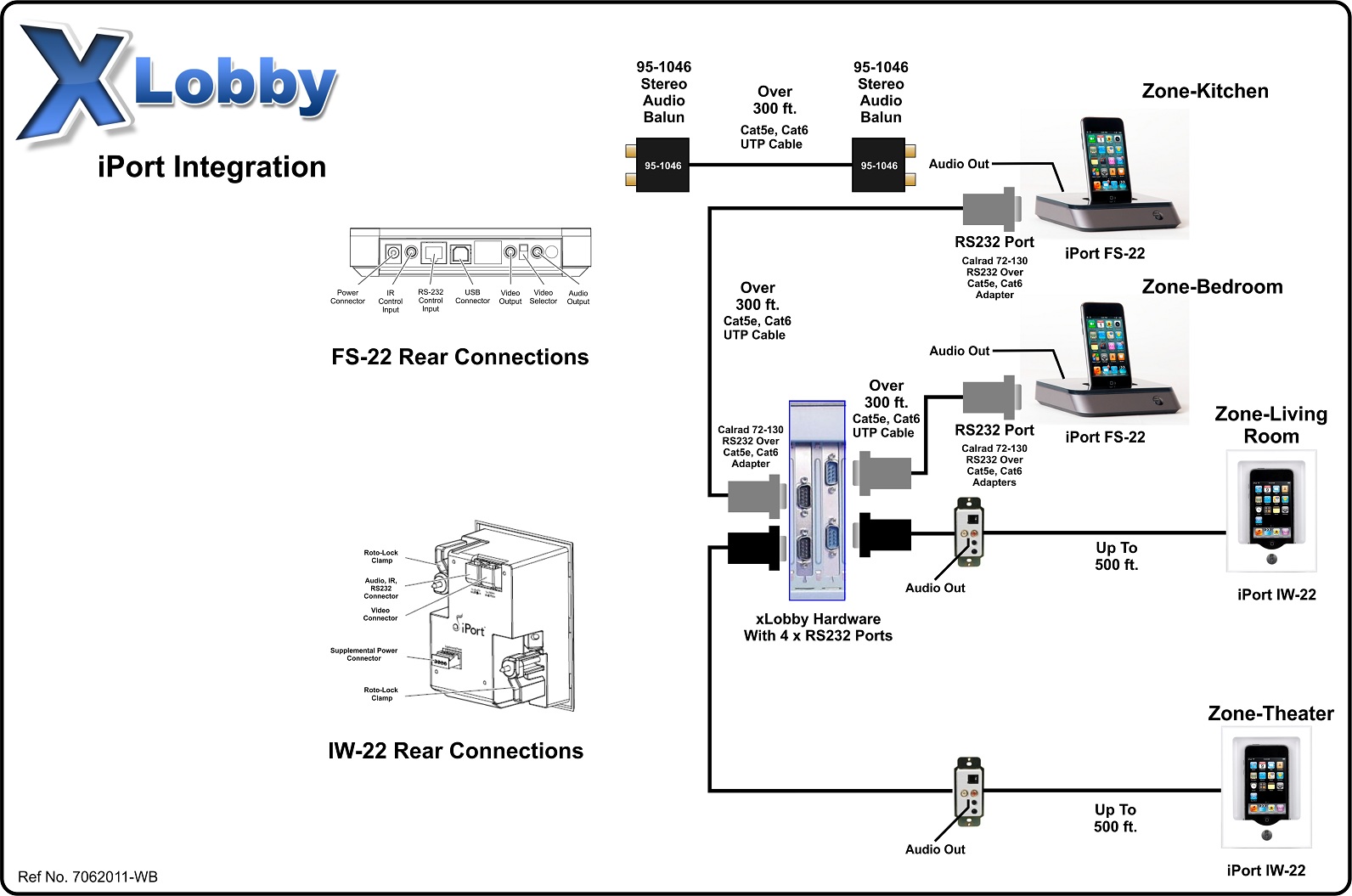
Summary 0000954: support for rs232 iPort added
Description support for rs232 iPort added


Summary 0000953: support for new 72-USB-IO4 Input/Output Module
Description support for new 72-USB-IO4 Input/Output Module

See this news post: http://xlobby.com/news/2011/09/14/calrad-xlobby-72-usb-io4-inputoutput-module/ 

Summary 0000952: dvdfab fix for new QT versions
Description dvdfab fix for new QT versions


Summary 0000951: bluray fix for latest arcsoft update
Description bluray fix for latest arcsoft update


Summary 0000950: ipad xpad slider bug
Description ipad xpad slider bug


Summary 0000949: button add no text added
Description button add no text added

Inside the skin editor under properties, allows a user to add a button to the design menu quickly without text. 

Summary 0000948: hide/show commands don’t work on ipad xpad interface
Description hide/show commands don’t work on ipad xpad interface


Wes Black

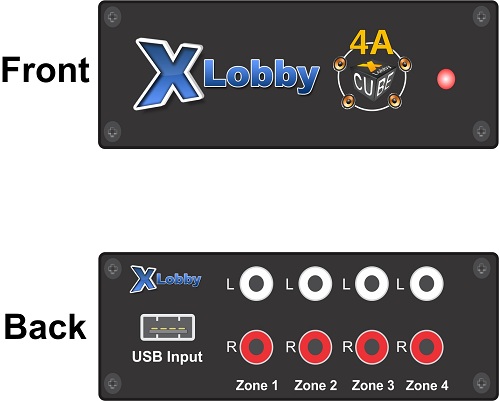
The Calrad 72-USB-IO4 module provides a simple method for interfacing with different devices for input and output connectivity for control with xLobby. The module connects to a standard USB type ‘A’ port. Use as many modules as needed. Remember any system wide resources available to xLobby can access this module to create all types of usable control scenarios. Relay Contact Ratings 1A, input voltage 0-30Vdc (Optically Coupled), Includes USB A to mini-B cable. Use Calrad USB extender solutions to extend the 72-USB-IO4 up to 150 ft. . 

72-125K-S-2, 50 ft. Passive USB extender: http://xlobby.com/news/2008/11/23/calrad-72-125k-s-2-usb-over-cat5e-6-adapters/

40-UE04H, 150 ft. Active Extender: http://xlobby.com/news/2007/12/13/40-ue04h-4-port-usb-hub-over-cat5-extender-150-ft/

72-USB-IO4 module

Front View

72-USB-IO4 Rear View

Rear View


xLobby Project 72-USB-IO4 Screenshot

xLobby Project Screenshot


List of applications


Module Inputs:

1. Use a motion detector to trigger a lighting scene

2. Use a motion detector to trigger a music playlist

3. Use magnetic contacts to monitor doors and window status

4. Use fixed outdoor IR beam system to monitor property intrusion

5. Electronic Device power on detection

6. Water intrusion, flooding detection

7. Push button inputs to control any function inside xLobby or it’s services


Module Relay Outputs:

1. Open and close a garage door

2. Activate a electric door or gate

3. Control a motorized TV lift

4. Control the lighting ignition on a fireplace

5. Control pool-spa pumps, heater, lights, waterfalls

6. Control L.E.D. lighting

7. Control Irrigation

8. Control landscape lighting

9. Control Amplifier power on\off input triggers

10. Speaker Selector

11. Automate your blinds & curtains

12. Turn on\off relay driven power strips

furman 871-954-large


72-USB-IO4 Brochure


PDF File Link: 72-USB-IO4 Brochure

72-USB-IO4 Garage Door Example

Garage Door Example

PDF File Link: 72-USB-IO4 Garage Door Example

This news post is subject to updates on a regular bassis 

Wes Black

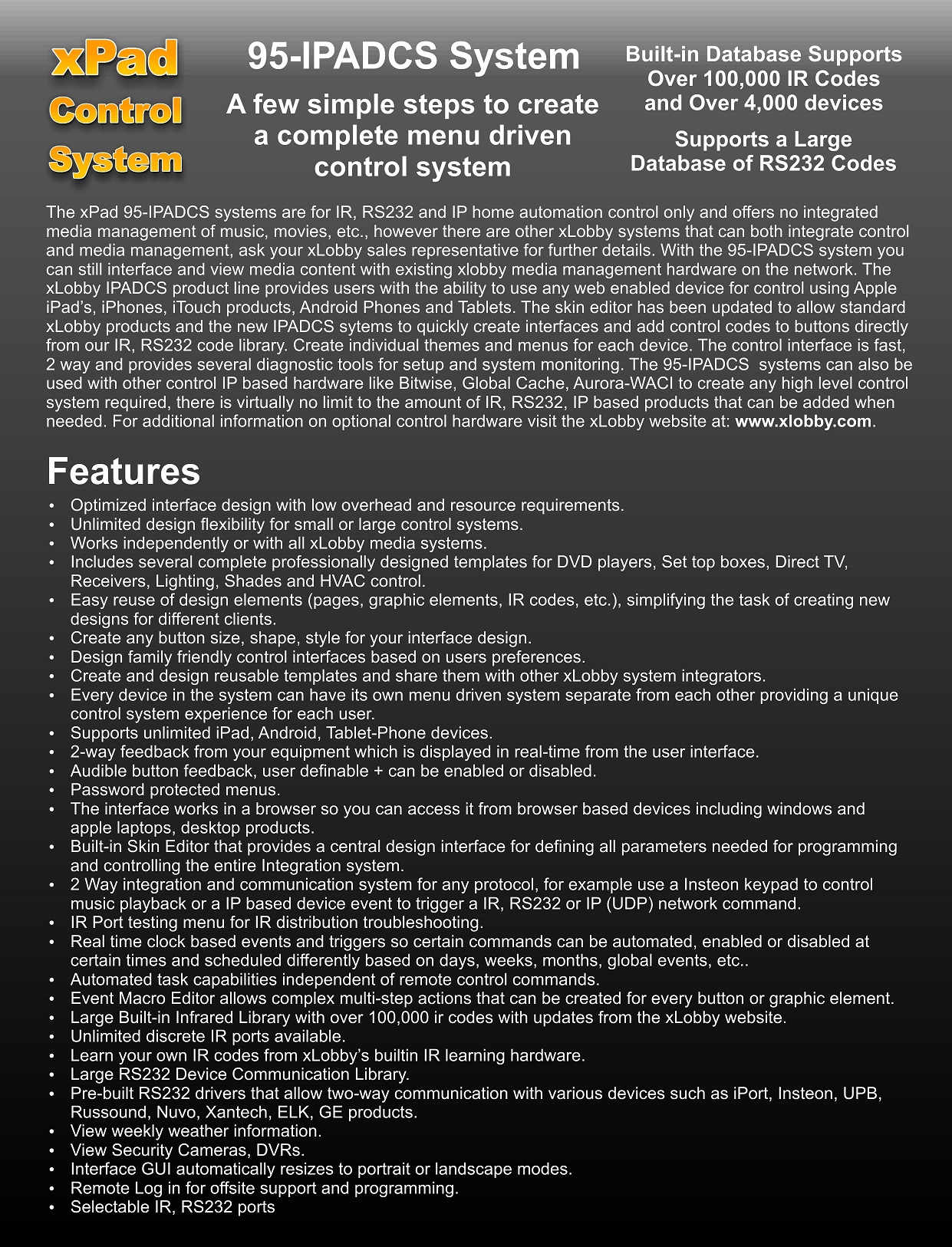
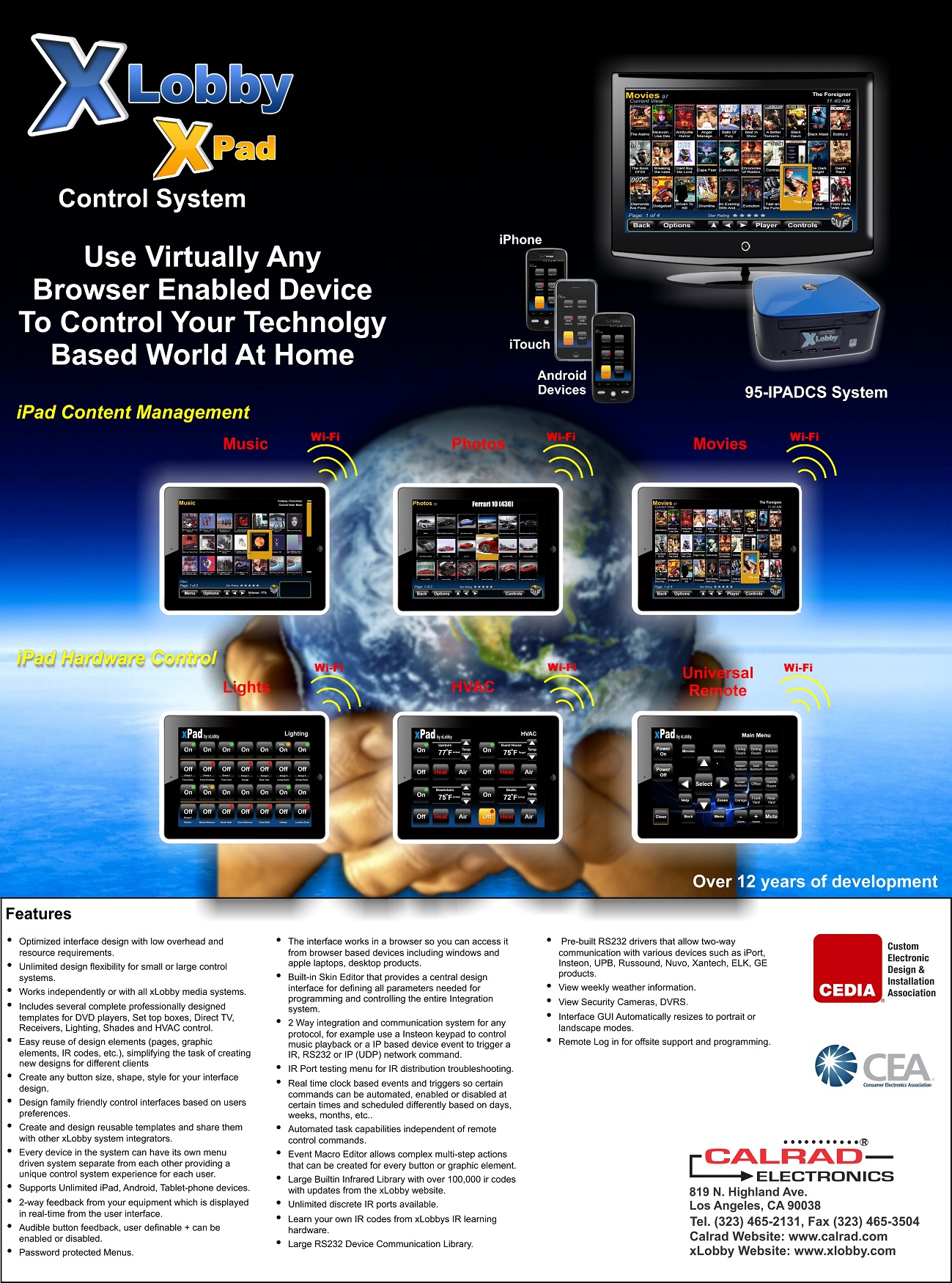
Introducing Calrad’s new powerfull web server based control platform the xLobby xPad with un-resticted device licenses, use as many devices as you want on a sysyem. This will be the last control system you or your customers will ever need. The xLobby xPad sysem is easy to setup and use without the requirement for complicated hardware or extensive training and programming for basic installations. We created a simple step by step setup process for creating a project with a home start screen, individual room screens  and a device editor for all the project control elements. Step outside the basic design elements and extensive  features and tools are available to create endless possibilities with any product or device hardware that can be controlled using industry standard RS232, IR, IP protocols. Remotely login to your xLobby xPad system and make changes or perform remote service calls. Read the detailed brochure below for all the features and details of the system.
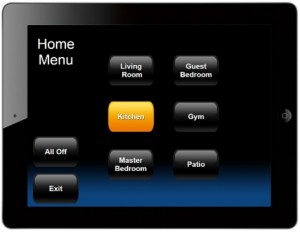
xLobby xPad Simple Home Menu

Simple Home Control Menu, (iPad)

xLobby xPad Devices Menu

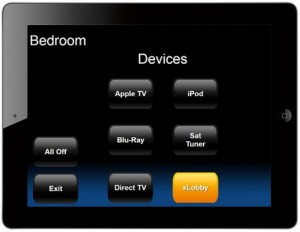
Simple Room Devices Control Menu, (iPad)
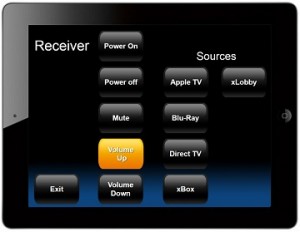
xLobby xPad iPad Simple Receiver Control

Simple Receiver Control Menu, (iPad)

 xLobby xPad Brochure, Availale in PDF below or in printed form
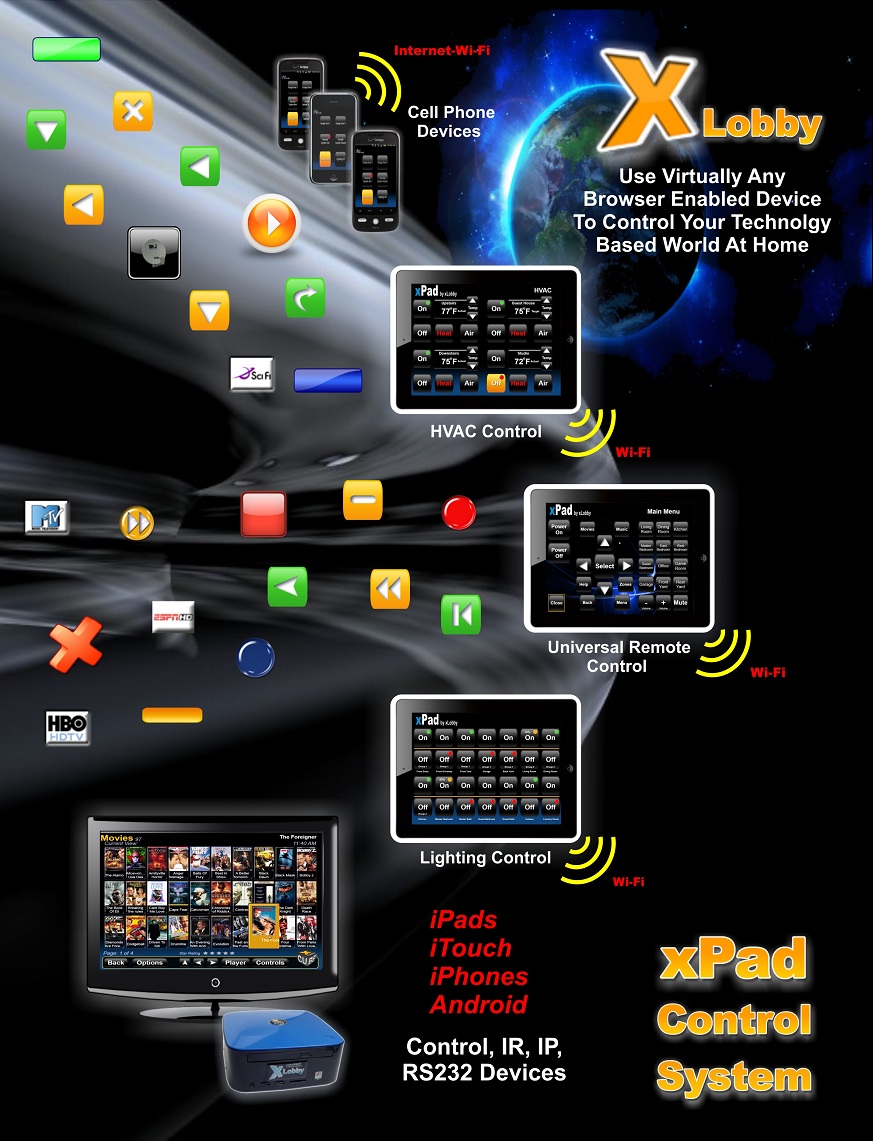
xLobby Control Brochure Cover page 1

Front Cover, Page 1

xLobby Control Brochure Inside Cover page 2

Inside Cover, Page 2

xLobby Control Brochure Inside Cover page 3

Inside Cover, Page 3

xLobby Control Brochure Cover page 2

Back Cover, Page 4

PDF File Link: xLobby Control Brochure xPad

 xPad Control Systems
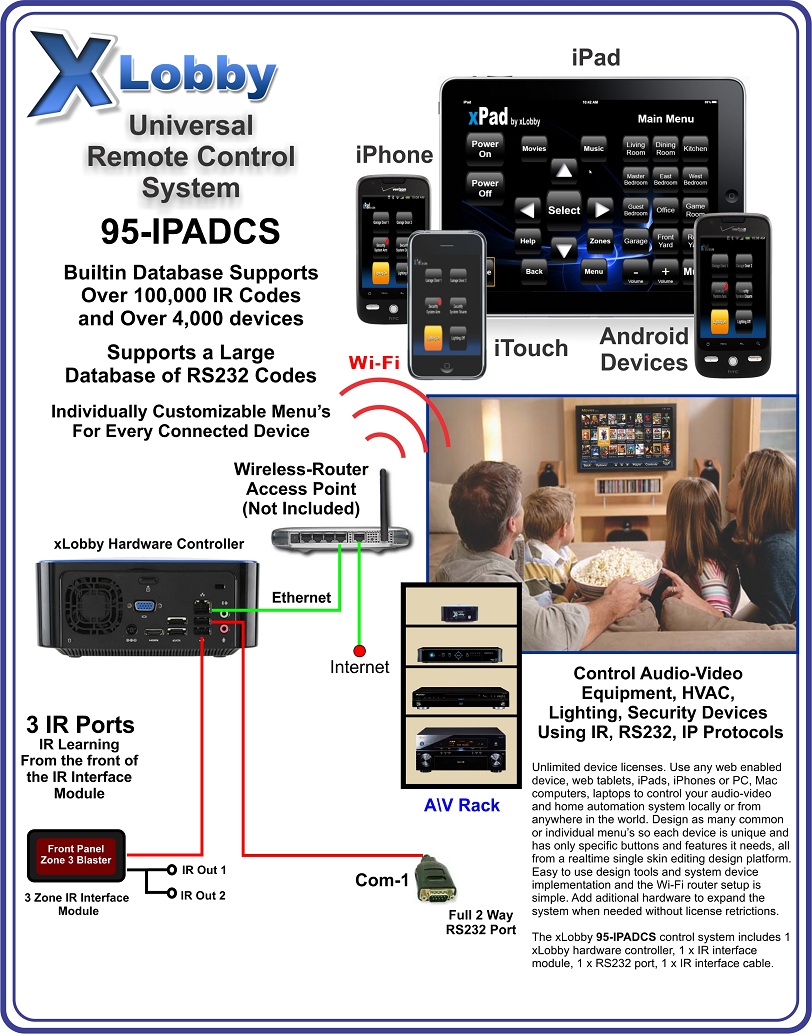
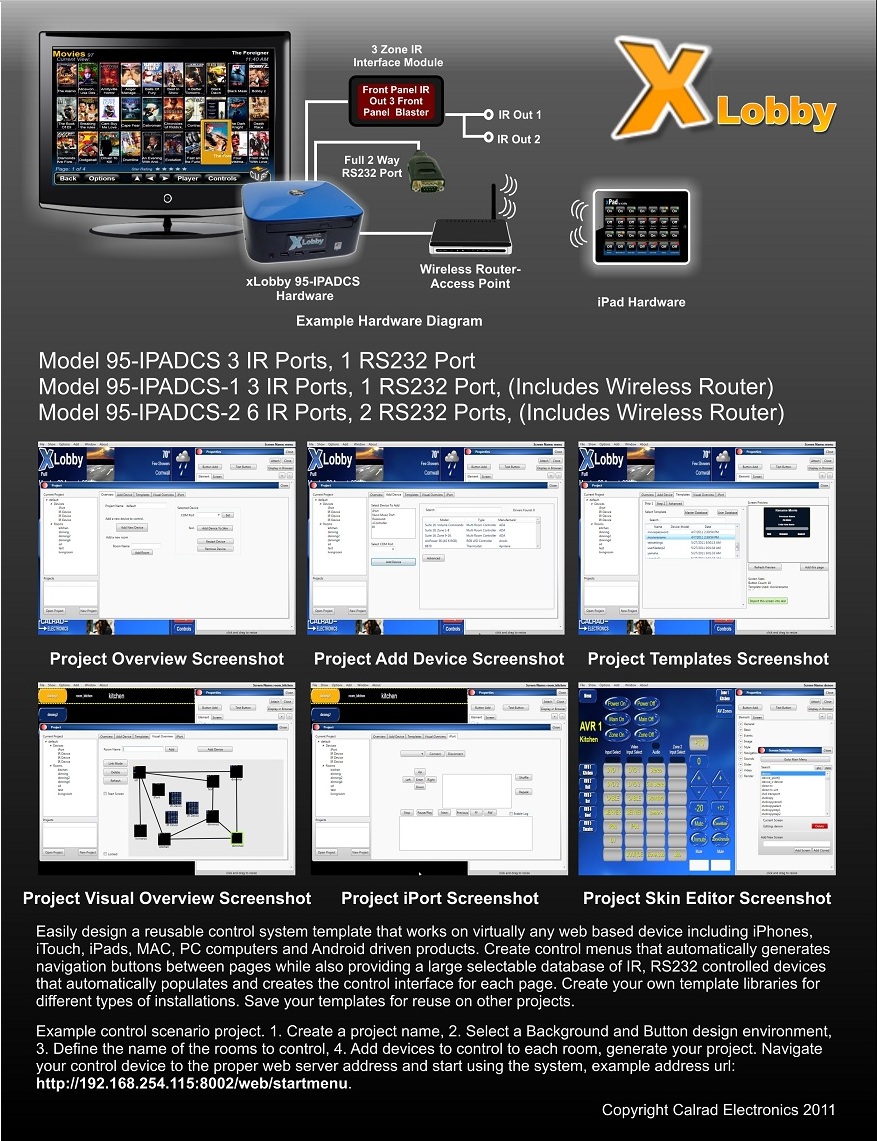
xLobby Universal Remote Control System 95-IPADCS

Entry Level Control System, Part Number: 95-IPADCS

PDF File Link: xLobby Universal Remote Control System 95-IPADCS
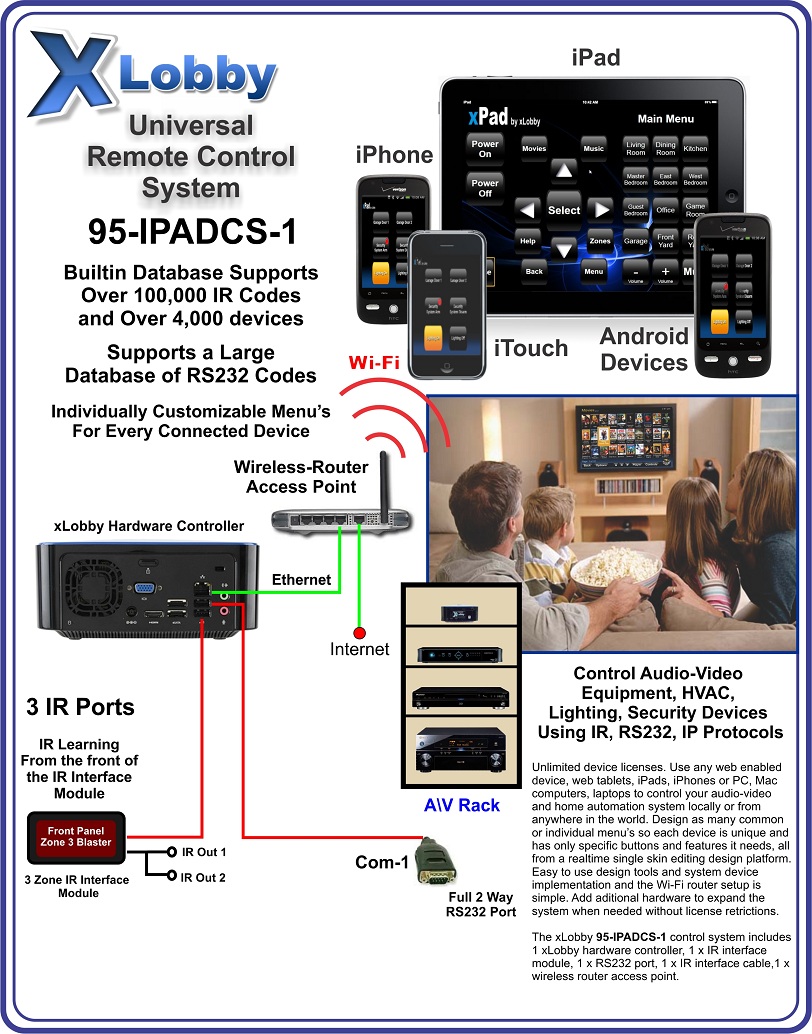
 

xLobby Universal Remote Control System 95-IPADCS-1

Mid Level Control System, Part Number: 95-IPADCS-1

PDF File Link: xLobby Universal Remote Control System 95-IPADCS-1
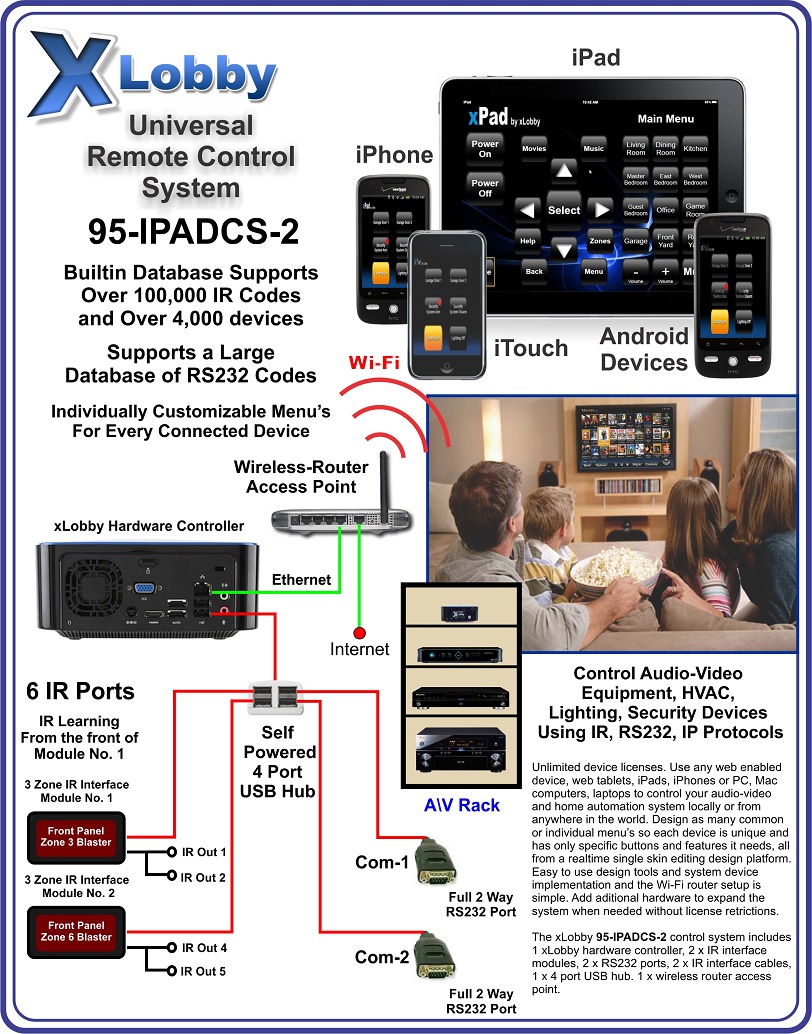
 

xLobby Universal Remote Control System 95-IPADCS-2

Mid Level 2 Control System, Part Number: 95-IPADCS-2

PDF File Link: xLobby Universal Remote Control System 95-IPADCS-2
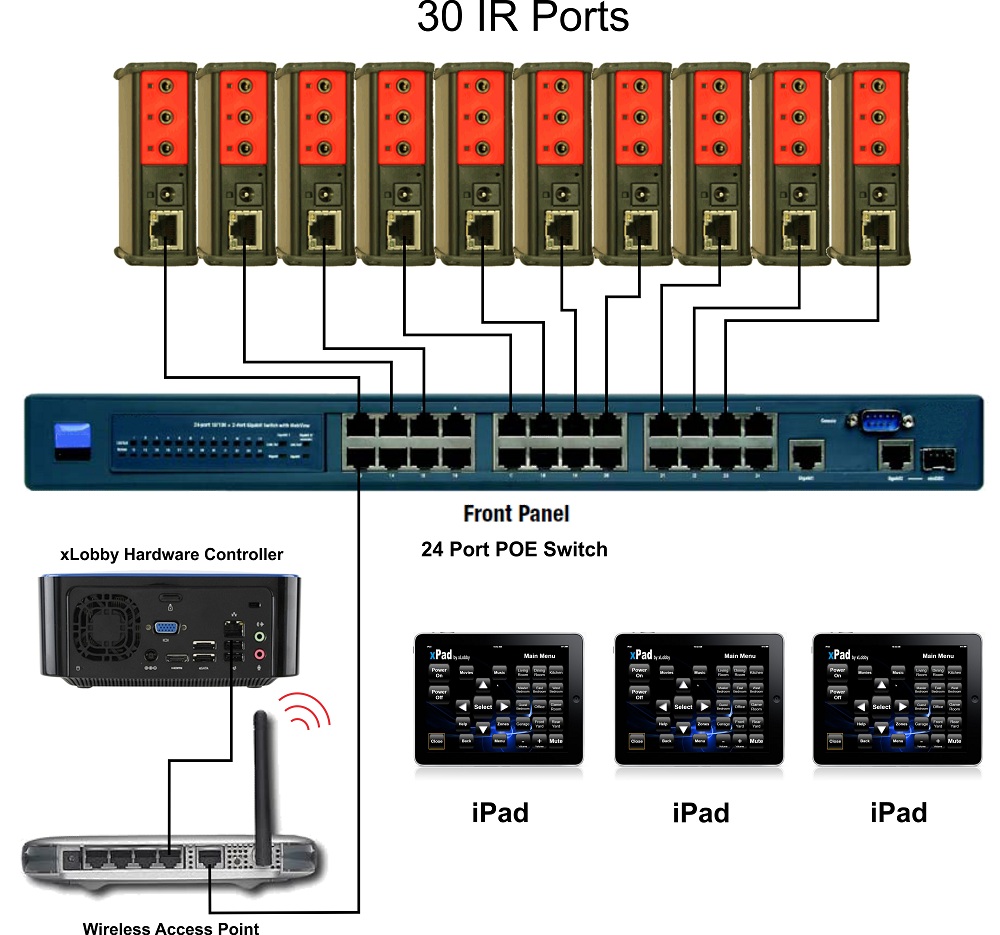
 

13xLobby Universal Remote Control System using Global Cache

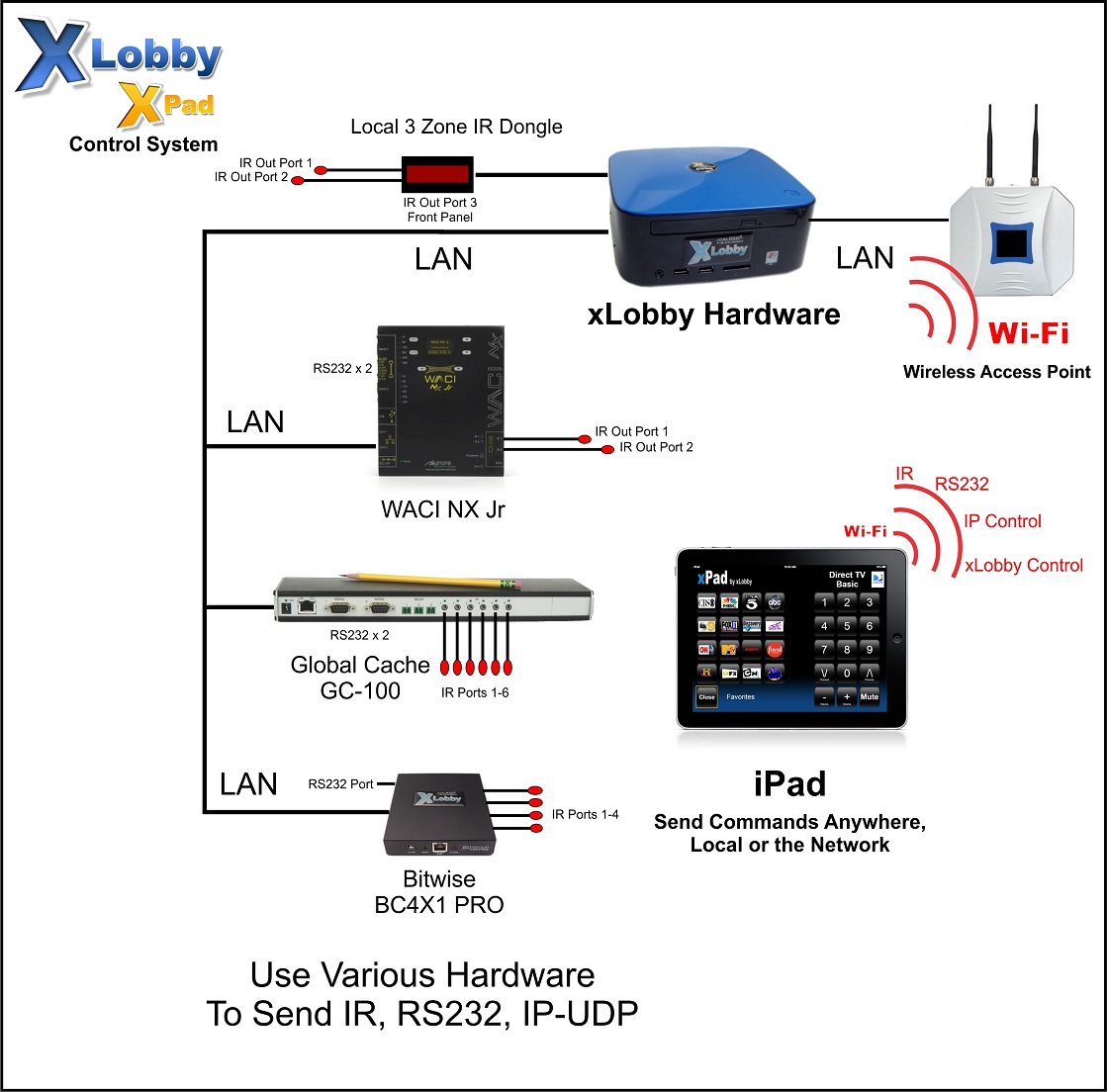
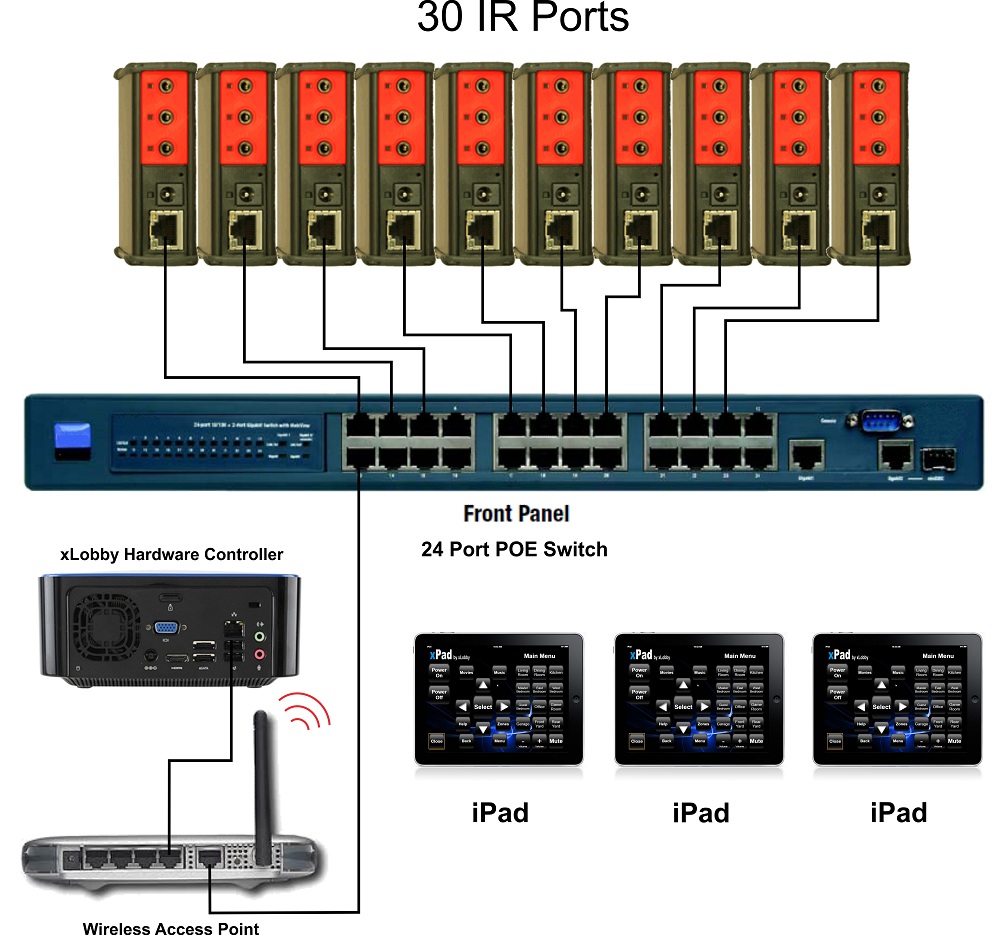
Example Illustration of using Global Cache Products, part no: IP2IR for 30 Zone discrete IR control. All the power for the devices are POE (Power Over Ethernet) supplied from a POE type switch, eliminating 10 wall wart power transformers.
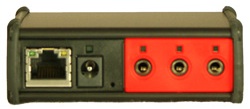
global cache GC-ITACH-IP2IR

Global Cache, GC-ITACH-IP2IR IP based (3 IR Ports)

 

wes gif 
Wes Black

Calrad’s new economy CCTV video baluns are perfect for delivering Audio, Video, PTZ signals over Cat5e, Cat6 UTP cabling. Rugged black PVC plastic housings.

95-1038-S, 95-1041-S Baluns Brochure


PDF File Link: 95-1038-S, 95-1041-S Baluns Brochure


 wes gif

We Black

Calrad will be introducing new ATSC HDTV antenna’s for over the air HDTV signals in the next few months. Below is our introductory model no. 75-700 Indoor\Outdoor Amplified ATSC HDTV Antenna.

HDTV Indoor Outdoor Antenna (1)

75-700 HDTV Indoor Outdoor Antenna 

 PDF File Link: 75-700 HDTV Indoor Outdoor Antenna

 wes gif

 Wes Black